pacman downloads packages from the mirrors listed in /etc/pacman.d/mirrorlist, starting with the first line. If the top mirror is slow or out of sync, updates crawl along or fail.
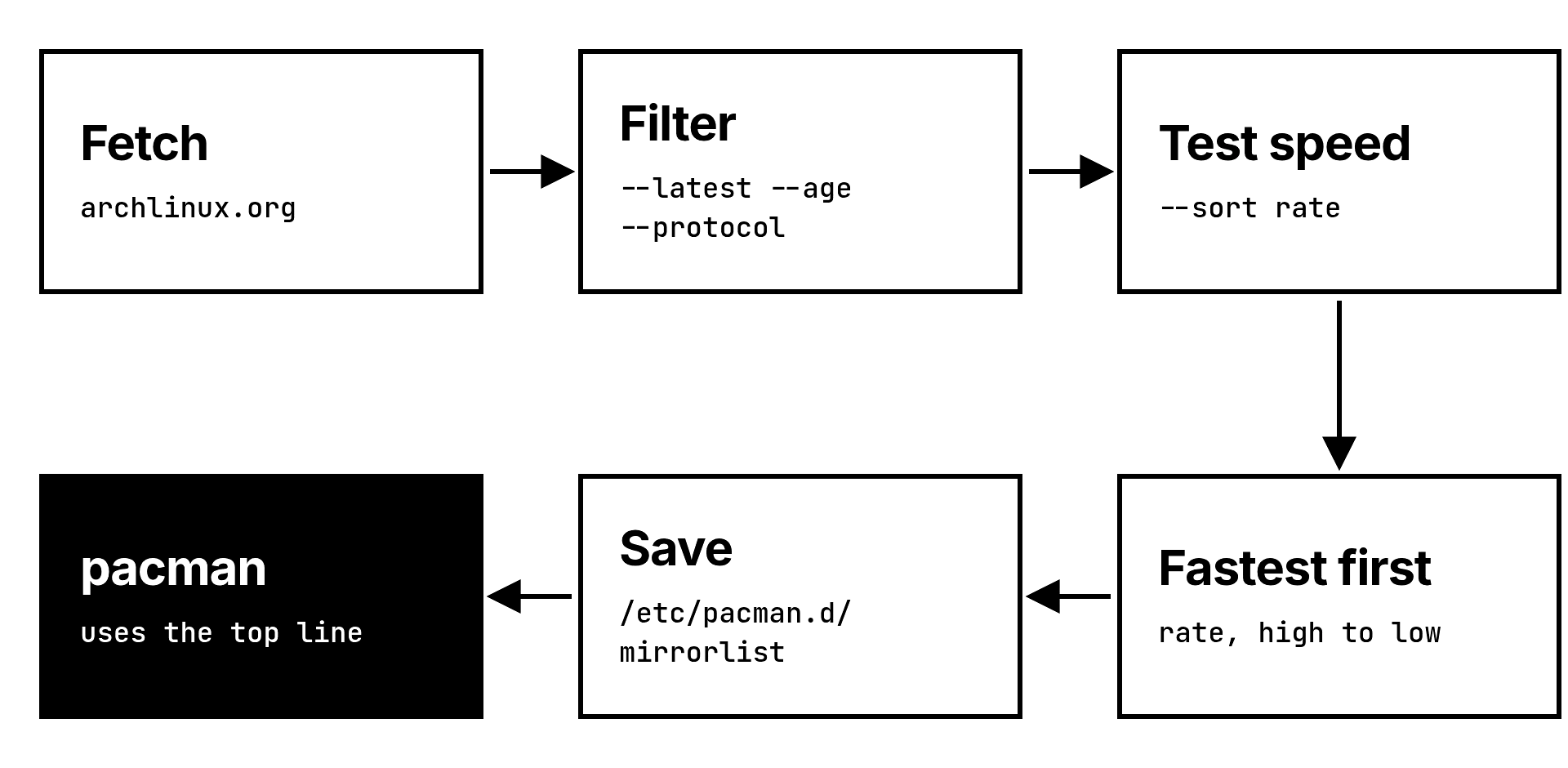
Reflector fixes the order. It fetches the mirror list from archlinux.org, keeps the recently synced mirrors, measures how fast each one downloads, and rewrites that file with the fastest at the top.
 View full size
pacman’s default list now starts with worldwide CDN mirrors that pick a server near you, so it may already be fast enough. Reflector helps when downloads are still slow, keep failing, or you want the list refreshed automatically.
Install reflector and back up the old list#
sudo pacman -S reflector
sudo cp /etc/pacman.d/mirrorlist /etc/pacman.d/mirrorlist.backup
If you don’t like the result, copy mirrorlist.backup back over mirrorlist.
Test and sort the mirrors#
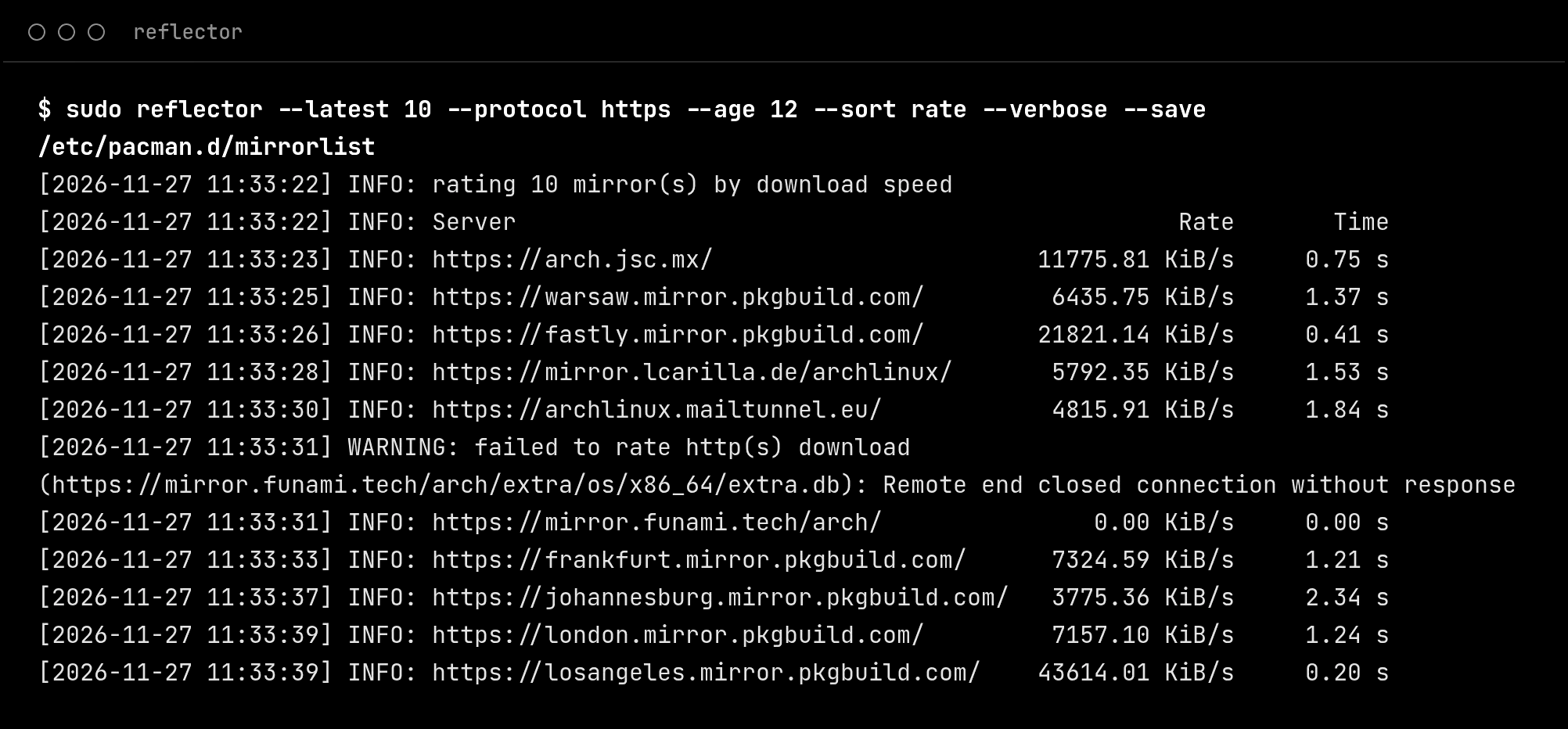
sudo reflector --latest 10 --protocol https --age 12 --sort rate --verbose --save /etc/pacman.d/mirrorlistThis takes the 10 most recently synced HTTPS mirrors (synced within the last 12 hours), downloads the extra.db file from each one, and saves the list fastest first. --verbose prints the test results.
 View full size
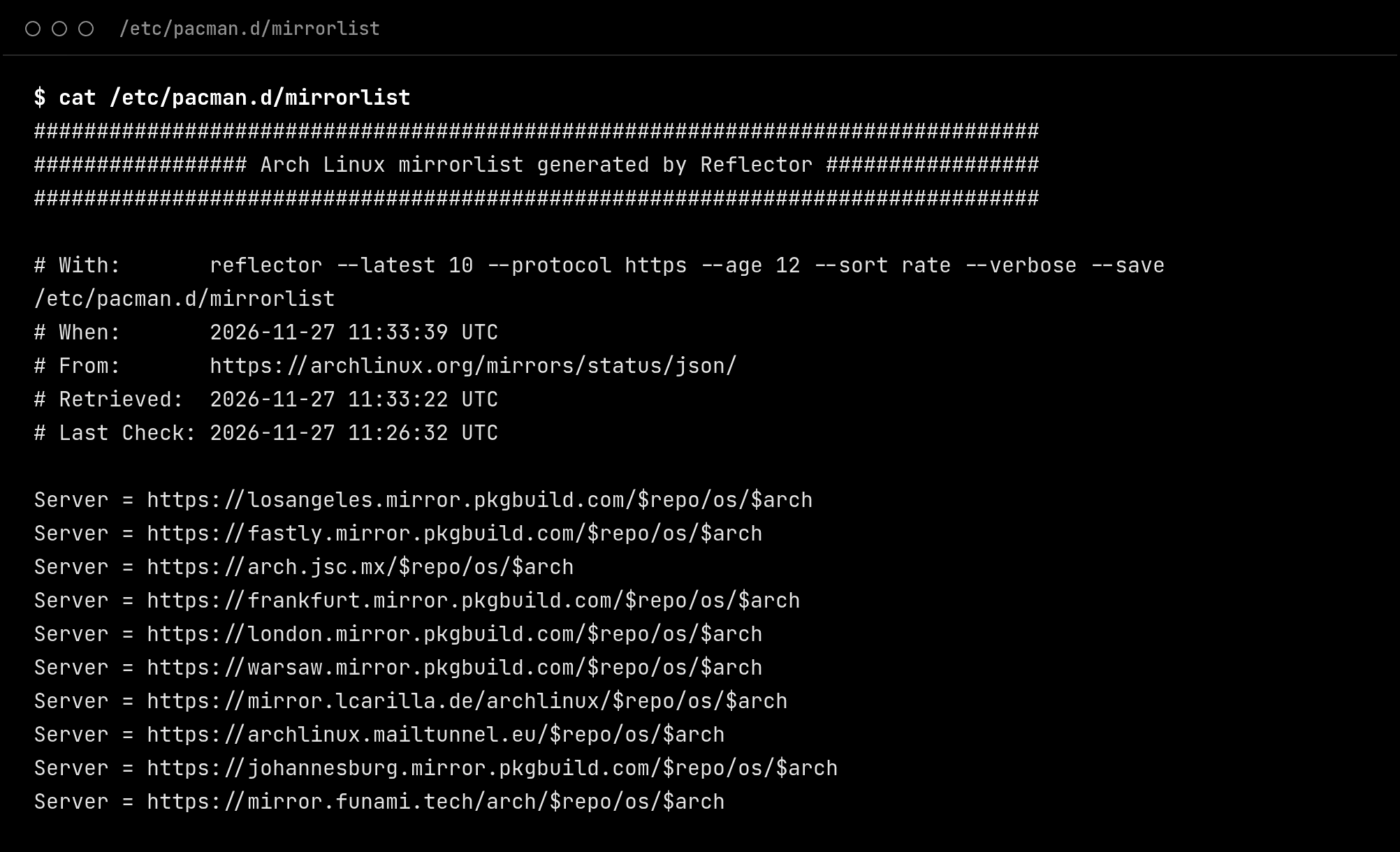
On the server I tested from, it took about 17 seconds. The fastest mirror, losangeles.mirror.pkgbuild.com at 42.6 MiB/s, moved to the first line. A mirror that failed the test is listed at 0.00 KiB/s and goes to the bottom, so pacman only tries it when every mirror above it fails.
The numbers change from run to run. Three minutes earlier, the same test put fastly.mirror.pkgbuild.com first.
 View full size
Update the system#
sudo pacman -SyuIf pacman was failing because the old mirror was broken, force a fresh download of the package lists with sudo pacman -Syyu.
Should you filter by country?#
--country limits mirrors to certain countries, and reflector --list-countries shows the choices. The Arch Wiki advises against this filter, because a single country has a limited number of mirrors and speed depends on more than distance.
Reflector lists 7 servers in Indonesia, but when I tried --country Indonesia --protocol https, only 2 were left. One timed out after 5 seconds and the other reached 4.4 MiB/s. Results from another location will differ, so test from your own connection.
Run it every week#
Reflector comes with reflector.timer, which runs it once a week with the options in /etc/xdg/reflector/reflector.conf. The default file picks the 5 most recently synced HTTPS mirrors and sorts them by sync time (--sort age). To sort by speed like the command above, replace its contents with:
--save /etc/pacman.d/mirrorlist
--protocol https
--latest 10
--age 12
--sort rate
Then enable the timer:
sudo systemctl enable --now reflector.timerTo refresh the list outside the schedule, run sudo systemctl start reflector.service.